10 Best ChatGPT Plugins for Small Business Owners in 2026
October 17, 2026By Ryland BeardChatGPTpluginsAI assistants
Here are the ten ChatGPT plugins I would hand a small business: Switchbooks for the books, Gmail for the inbox, Google Drive, Slack, HubSpot, Stripe, Gusto, Canva, Dropbox and Shopify. All ten are live in the ChatGPT plugin directory as of October 2026. A plugin lets ChatGPT read and, where you allow it, act on the tools you already run the business in, instead of reasoning about them from the outside.
I build Switchbooks, so this list is biased toward tools an owner would actually trust an assistant with. Every one installs the same way: open Plugins in the ChatGPT sidebar, or go to chatgpt.com/plugins, find the plugin, click Install plugin, and sign in to the service when asked. Then type @ and the plugin's name in a chat.
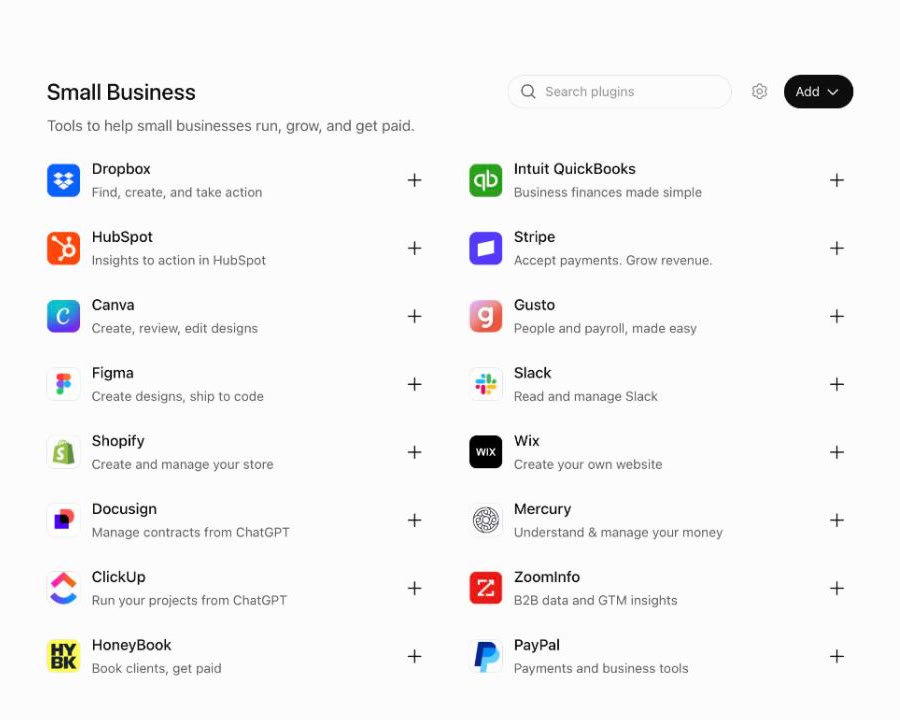
| Plugin | What it does from the chat | Makes changes | You need |
|---|---|---|---|
| Switchbooks | Reads the books, runs reports, posts, matches, reconciles | Yes, if you allow it when connecting | A Switchbooks account |
| Gmail | Summarizes the inbox, drafts replies, organizes threads | Yes | A Google account |
| Google Drive | Finds and edits Docs, Sheets and Slides | Yes | A Google account |
| Slack | Summarizes channels, drafts messages | Yes | A Slack workspace |
| HubSpot | Reads and updates deals, contacts, tickets | Yes | A HubSpot account |
| Stripe | Manages payments, subscriptions, invoices, refunds | Yes | A Stripe account |
| Gusto | Prepares payroll, fixes timesheets, onboards hires | Yes, with confirmation | A Gusto account |
| Canva | Creates, edits and resizes designs | Yes | A Canva account and AI credits |
| Dropbox | Finds, saves, shares and organizes files | Yes | A Dropbox account |
| Shopify | Builds and runs a store, reviews orders and sales | Yes | A Shopify store |
1. Switchbooks
Best for: bookkeeping, financial reports, and keeping the books current without opening accounting software.
Switchbooks is bookkeeping software you just talk to. Connected to ChatGPT, it reads your books and, if you allow it, keeps them: it categorizes and posts bank transactions, matches transfers between your accounts, books journal entries, and reconciles an account to its statement from a preview. Ask for last month's profit and loss and it comes back in the chat. Ask what is sitting in To Review and ChatGPT can work through it.
Every change a connected assistant makes is recorded and most can be undone from the same chat. It cannot sign in to your bank, move money, invite or remove people, or share a report. Those stay in the app. If you run several companies, or you are a bookkeeper with clients, one login covers all of them, and every result is tagged with the company it came from.
Use it for
- "What were my biggest expenses last month?"
- "Post everything in To Review that matches a rule."
- "Reconcile Chase checking to the statement ending September 30."
- "Find all transactions over $1,000 in the last 90 days."
Install it from the ChatGPT plugin directory. The setup, with screenshots, is in the ChatGPT bookkeeping plugin guide.
2. Gmail
Best for: triaging the inbox and drafting replies.
OpenAI's own Gmail plugin lets ChatGPT summarize inbox activity, draft replies and organize threads. For an owner who answers forty emails a day, the win is handing over the first pass: "find every unanswered customer email from this week and draft replies," then you read and send.
Use it for
- A morning summary of the threads that need you.
- Drafting follow-ups to quotes that went quiet.
- Turning a long customer thread into a short list of decisions and next steps.
3. Google Drive
Best for: finding, reading and updating the documents the business runs on.
One plugin covers Drive, Docs, Sheets and Slides. ChatGPT can search your Drive, read a proposal, update a sheet, draft a status update from a project folder, or build a deck from your notes. If your SOPs and price lists live in Google Docs, this is how the assistant learns how your business actually works.
Use it for
- "Find last year's pricing sheet and summarize what changed."
- Drafting a client update from the files in a project folder.
- Updating a tracking sheet from numbers you paste in.
4. Slack
Best for: teams that live in channels.
The Slack plugin gives ChatGPT your team's conversation as context. It can summarize a channel you muted, find the decision buried in a thread, draft a reply in the channel's tone, or turn this morning's discussion into a meeting agenda.
Use it for
- A digest of what mattered in a busy channel this week, with owners and next steps.
- "What did we decide about the Q4 pricing change?"
- Drafting a reply to a customer escalation.
5. HubSpot
Best for: sales pipeline and contact history.
HubSpot's plugin reads from and writes to deals, contacts, companies, tickets and engagements you have access to. ChatGPT can prepare a brief before a meeting, update deal stages, log calls and emails, create tasks, and flag stale pipeline or duplicate records.
Use it for
- "Which deals have had no activity in two weeks?"
- A one-page brief on a prospect before the call.
- Logging notes and next steps after it.
6. Stripe
Best for: payments, subscriptions and invoices.
If you take payments through Stripe, the plugin lets ChatGPT retrieve and manage payments, subscriptions, invoices, refunds, disputes and customers, and create products, prices and payment links. It also answers integration questions from Stripe's documentation if you build on it.
Use it for
- "Show me this month's refunds and disputes."
- Creating a payment link for a new service.
- "Which subscriptions failed to renew this week?"
7. Gusto
Best for: payroll and people work.
Gusto's plugin is built to do payroll work, not just answer questions about it. ChatGPT can prepare an upcoming payroll and compare it with recent runs, fix timesheets, bring hours, tips and reimbursements in from a spreadsheet, or onboard a new hire from their offer letter. Changes require your confirmation.
Use it for
- Reviewing next week's payroll against the last three runs before you approve it.
- Importing hours from a spreadsheet.
- Starting onboarding for a new hire.
8. Canva
Best for: quick marketing assets.
Canva's plugin creates and edits designs from a prompt: social posts, flyers, decks, resizes for each channel, background removal, and a check against your Brand Kit. It is not a designer, but for the Friday-sale post or a resized logo it saves a trip into the editor. Design and image generation use Canva AI credits.
Use it for
- Social graphics from a short brief.
- Resizing an existing design for another channel.
- A first draft of a menu, flyer or price list.
9. Dropbox
Best for: businesses whose files live in Dropbox.
The Dropbox plugin finds and reads your files, saves what ChatGPT writes back to Dropbox, creates sharing links, sets up file requests for collecting uploads from other people, and organizes folders. Your existing Dropbox permissions apply.
Use it for
- "Find the signed contract for this client and summarize the payment terms."
- Saving a proposal ChatGPT drafted straight to the right folder.
- Creating a file request so a client can upload their documents.
10. Shopify
Best for: owners who sell online.
Shopify's plugin covers starting and running a store from the chat: build a store from a description, add products, manage inventory across locations, create discount codes, review orders and customer details, and pull sales analytics.
Use it for
- "Show me my store's sales for the past three weeks."
- Adding a product from a photo and a description.
- Creating a discount code for a weekend promotion.
Also worth a look
Mercury, if you bank there. The plugin explains cash flow, spending and runway, and can set up payments and transfers that you then approve in Mercury.
Docusign, for managing contracts from the chat.
Intuit QuickBooks, if you are staying on QuickBooks. Its plugin runs reports, manages invoices, estimates, payments and payroll, and compares your numbers with industry peers. If what you want is an assistant that keeps the books rather than reports on them, test it against the list in AI agents, connectors and plugins that can do your books.
How to pick
Start with two plugins, not ten. For most owners that is the inbox and the books: Gmail so ChatGPT can see what is coming in, and Switchbooks so it can see where the money went. Add Drive or Dropbox when the assistant keeps asking for documents, a CRM when you have a real pipeline, and payroll when the pay run is the thing that eats your Friday.
Connect read-only first. Once you trust what ChatGPT reports, allow changes on the tools where its work is easy to review and reverse. Switchbooks was built for exactly that: every change a connected assistant makes is listed in plain language and most can be undone from the same chat.
Switchbooks is $25 per month per company, every feature included, with a 10-day free trial. See what is included.