What MCP Means for Accounting, Explained by a Bookkeeper
October 6, 2026By Ryland BeardMCPAI bookkeepingClaude
If you work in accounting, you are going to hear the letters MCP a lot over the next year, usually from a software vendor and usually without a clear explanation. I ran a bookkeeping firm for eight years and now build accounting software, so let me give you the explanation I would have wanted: what MCP is, what it actually changes for a bookkeeper or a business owner, what to ask before you connect anything to a client's books, and where the real risks are.
What MCP is, in one paragraph
MCP stands for Model Context Protocol. It is an open standard that lets an AI assistant like Claude use outside software through a defined list of tools. Anthropic published it in late 2024, and within a year it had been adopted by OpenAI, Google, Microsoft, Cursor and most of the rest of the industry, which is why it matters. It is not a product. It is a plug shape. Any assistant that speaks MCP can connect to any software that offers an MCP server, the way any appliance with the right plug can use any outlet.
For accounting, that means an assistant can be given a specific set of actions on a specific set of books: search transactions, run a profit and loss, post a row to a category, match a transfer, book a journal entry, reconcile an account. Nothing more than the list, and nothing without the permissions you grant when you connect.
Why this is different from the AI features you have already seen
Accounting software has had AI features for a while. Suggested categories, a chat box that answers questions about the help docs, a summary at the top of a report. They live inside the vendor's product, they work the way the vendor decided, and they are only as good as the vendor's model.
MCP flips the arrangement. The assistant lives outside the accounting software, in Claude or Cursor or wherever you already work, and the accounting software becomes a set of tools the assistant can use. Two things follow from that.
You pick the brain. The assistant doing the reasoning is a frontier model, not whatever the accounting vendor had budget to build. When the models get better next quarter, your bookkeeping gets better without the vendor shipping anything.
The books stay the system of record. This is the part I care about most as a bookkeeper. The assistant does not keep its own copy of your financials in a chat history that wears down and forgets. It reads from and writes to the ledger. Every category, every rule, every reconciliation is written once, in the books, and stays put. The assistant brings the reasoning. The ledger brings the memory. You get financials firm enough to send to a banker or compare against three years ago, which is something no chat window will ever give you on its own.
What it changes for a business owner
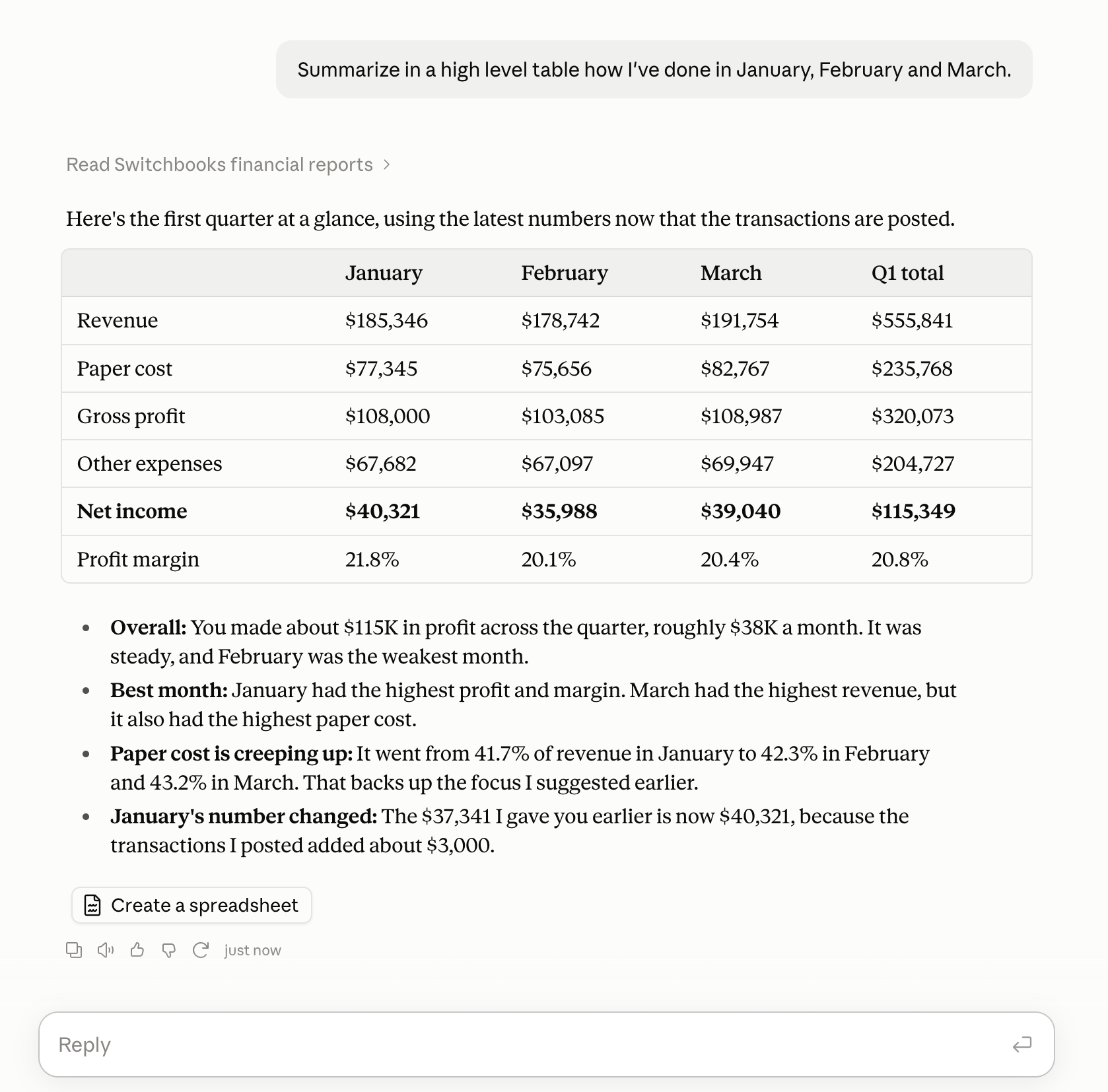
The day-to-day gets simple in a way that is hard to appreciate until you have done it. You open the assistant you already use and say what you want. "What is sitting in To Review?" "Post what you are sure about and list the rest." "Reconcile checking through Friday." "Show me the P&L." The assistant does the work in the books, shows you what it did, and you correct it in plain English. The corrections stick.
You also stop pasting statements into chat windows, which is where most of the horror stories come from. I wrote about why that approach breaks and the short version is that an assistant without a ledger cannot see both sides of a transfer, cannot reconcile and cannot remember. With an MCP connection, it can do all three.
What it changes for a bookkeeping firm
More. A firm connects once and works across every client's books from the same chat. "Use Martinez Plumbing." "Use Harbor Dental." The assistant switches, tags every answer with the client it came from, and does the same sorting, matching and reconciling you would otherwise be paying a junior for.
The leverage is real, and it is in the hours. The judgment stays with you: tax treatment, entity structure, whether that equipment purchase should be capitalized, what the margin trend means for the owner. The sorting leaves. Firms using Switchbooks this way are running more clients with the same team, which is a very different outcome from the one people were worried about.
It also changes what you can offer a client. A read-only connection means the owner can ask their own questions in Claude and get real answers from their real books, without a login to your software and without being able to break anything. That is a service you can sell.
What to ask before you connect anything to client books
This is where I would slow down, because the connection is only as safe as the server on the other end. Six questions.
- Who runs the server? The accounting vendor should run it. If a third party sits in the middle holding a copy of the data, that is a different risk conversation.
- How do I sign in? OAuth, where you approve the connection once and the assistant never sees your password, is the right answer. Pasting a long-lived API key into a settings screen is not.
- Can I choose read-only? You should be able to connect an assistant that can answer anything and change nothing.
- What exactly can it change? Ask for the list. It should be specific: post, match, book a journal entry, reconcile. It should not include things like inviting users, deleting data or moving money.
- Is every change logged, and which ones are reversible? Every action the assistant takes should be recorded and attributed to the assistant, and the vendor should tell you plainly which ones can be undone and which cannot.
- Can I disconnect from either side? From the assistant's settings and from the accounting software, independently.
If a vendor cannot answer all six clearly, wait.
How Switchbooks does it
Since I am going to be asked: Switchbooks runs a remote MCP server at https://app.switchbooks.ai/api/mcp. It is listed in the Claude directory, the Cursor marketplace and the Grok Bot marketplace, and in the official MCP registry, so any MCP-capable client can use it. Sign-in is OAuth. You choose read-only or read-and-write when you connect. A connection with write access can post and split transactions, match transfers, book journal entries, create categories, payees and rules, reconcile from a preview and attach files. No connection can connect a bank, send invitations, share reports, merge accounts, delete files or remove teammates. Changes are logged, and most can be undone from the chat for 30 days.
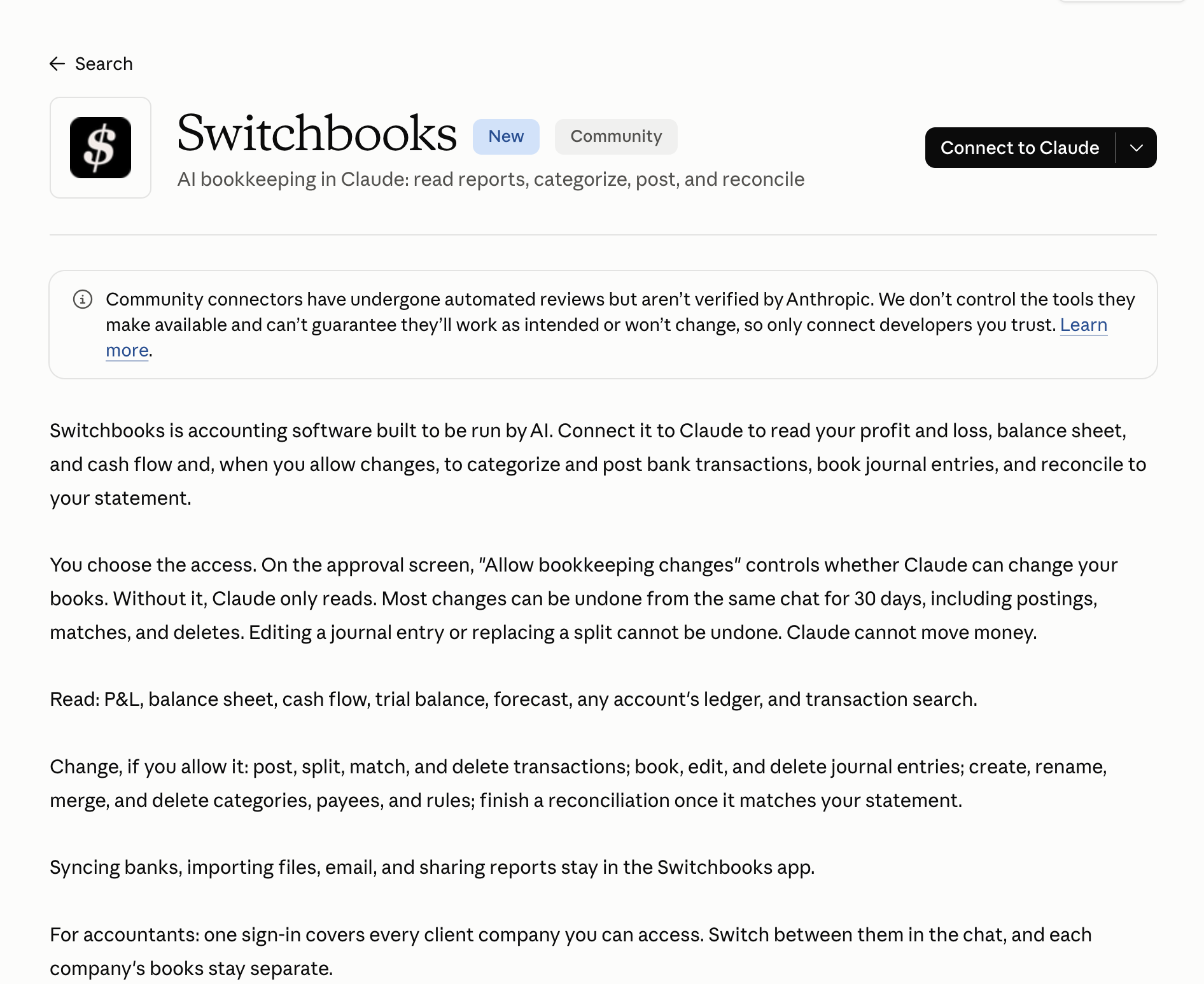
The full tool list and the setup steps are on the AI assistants page, and there is a walkthrough for Claude if you want to try it.
Where the risks actually are
I will be straight about these, because the hype around MCP tends to skip them.
Prompt injection. An assistant that reads data can be fooled by data. A transaction memo or an uploaded document could contain text written to steer the assistant. Good servers treat everything they return as data and not as instructions, and keep destructive actions off the tool list entirely. Ask about this.
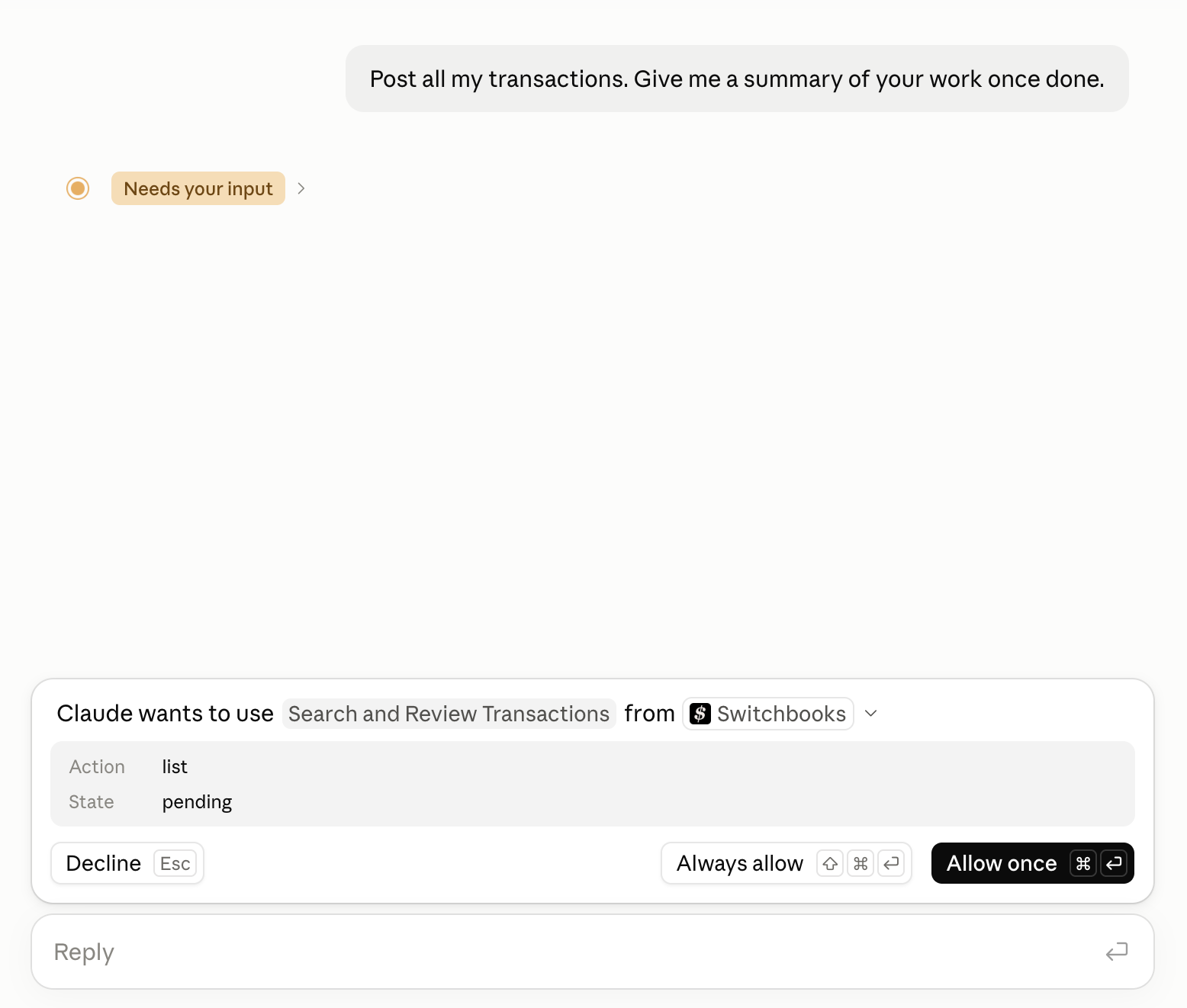
Over-permissioning. The temptation is to grant write access to everything so the demo looks good. Start read-only. Add write access when you have watched it work. A good client helps here too: Claude asks before it uses a tool the first time in a chat, so you see what is about to happen.
Bad servers. The standard is open, which means anyone can publish one. An unofficial server wrapping a vendor's API with a stored password is not the same thing as the vendor's own server with OAuth, even if both show up in a directory. Check who runs it.
The models are still models. A connected assistant can still misjudge a category or ask about something obvious. The difference is that the mistake lands in a ledger where you can see it, trace it and undo it, rather than in a spreadsheet that looked right on the day you made it.
Where this goes
A year from now, "does your accounting software have an MCP server" will be a normal question in a software evaluation, the way "does it connect to my bank" is today. The vendors that run a good one will have handed their users a frontier-model bookkeeper for free. The ones that do not will be explaining why their built-in chat box is enough.
If you are a bookkeeper, this is worth an afternoon now. Connect a read-only server to one client's books, ask it the questions you get asked every month, and see how it does. You will know within an hour whether it changes your week.