Can ChatGPT Do My Bookkeeping? Here Is What Actually Happens
October 6, 2026By Ryland BeardAI bookkeepingChatGPTClaude
Yes, a little. No, not the way you are hoping. And the honest answer has changed a lot in the last year, so it is worth going through carefully.
I ran a bookkeeping firm for eight years before building Switchbooks, and I have now watched a lot of small business owners try to do their books with ChatGPT or Claude. Some of them did it well. Most of them ended up with a spreadsheet that looked right and was not. Here is what actually happens, where it breaks, and what changes when the assistant can see your real books instead of a pasted statement.
The short answer
Paste a bank statement into ChatGPT and ask it to categorize the transactions. It will do a decent job. It will tell you that the Shell charge is fuel, the Adobe charge is software, the transfer to savings is a transfer. It will explain the difference between an expense and a liability better than most textbooks. For a sole proprietor with forty transactions a month and a Schedule C, that can be enough.
What it cannot do, with a statement pasted into a chat, is bookkeeping. It has no ledger to post to. It cannot see your other accounts, so it does not know the transfer out of checking is the transfer into the credit card. It cannot reconcile, because reconciling means comparing the books to the bank and it only has the bank. It cannot produce a balance sheet that balances. And when you come back next month, it has forgotten everything it decided this month.
The difference between those two paragraphs is the difference between a smart assistant and a bookkeeper, and it comes down to one thing. Is the AI working on a copy of your data, or is it working in your books?
What ChatGPT gets right with a bank statement
Credit where it is due. If you paste a statement in and ask, you will get:
- Reasonable categories for obvious vendors. Fuel, software, meals, utilities, payroll providers, the big ones. For a typical small business this covers most of the rows.
- Clear explanations. Ask why a loan payment is not an expense and you will get a better answer than you would from most software help pages.
- A tidy spreadsheet. It will format the result, total by category and even draft a rough profit and loss from the one account it can see.
- Help with the words. Chart of accounts names, what to call a category, how to describe a transaction to your accountant.
If your business is small, cash-based and has one bank account, this is genuinely useful, and I would rather you did this than nothing.
Where it goes wrong
Here is the pattern I see, over and over, when someone brings me books that were built this way.
Transfers counted as income or expense. The statement shows $5,000 leaving checking. ChatGPT calls it an expense, or asks you, and you say "that was to pay the credit card" and it writes "credit card payment" as an expense. Now the credit card charges are expenses and the payment to the card is also an expense. Your costs are doubled. This is the single most common error, and it happens because the assistant can only see one side of the transfer.
Confident wrong guesses. A charge from "SQ *JOES" is Square, and it could be lunch, a contractor, or inventory. The assistant will pick one and sound certain. A human bookkeeper looks at the amount, the day, the pattern, and asks. With a pasted statement there is no pattern to look at, because there is no history.
No memory. You decide in March that the Amazon charges are office supplies unless they are over $200, in which case they are equipment. In April the assistant does not remember. You either explain again or accept inconsistency, and inconsistency is what makes a P&L useless for comparing months.
Nothing reconciles. Reconciliation is the step where you prove the books match the bank, to the penny, through a date. It is the only reason anyone can trust the numbers. An assistant with a statement cannot reconcile because the statement is all it has. There is nothing to reconcile it against.
The 98% problem. I wrote about this in the QuickBooks comparison and it applies here too. Books that are 98% right sound fine. The 2% compounds every month until someone has to unwind a year of it, and that someone is expensive. AI with a statement gets you to roughly 98%. The last 2% requires the books.
What changes when the assistant is connected
Now the other case. The assistant is not reading a pasted statement. It is connected to your accounting software, with permissions you set, and it can see every account, every category, every rule and every past decision.
The simplest way I know to describe the difference: the connection gives the assistant tools and a database. Tools to actually post, match and reconcile instead of describing how you would. A database so that nothing depends on the chat's memory, which wears down the more you paste into it. The ledger holds everything, firm and structured, month after month. That is what makes the result a set of financials you can email to your banker or compare against three years ago, rather than a spreadsheet that was right on the day you made it.
The same questions come out differently.
Ask about the $5,000 leaving checking and it finds the $5,000 arriving at the credit card two days later, matches them as a transfer, and nothing is double counted. Ask about the Square charge and it looks at the eleven previous Square charges, the categories you gave them, and the rule you made in February, and it either knows or asks you one specific question instead of guessing. Ask it to reconcile the checking account through September and it compares the ledger to the bank, shows you the two rows that do not match, and books the fix once you say yes.
Ask for a P&L and it does not draft one from one account. It runs the real report from the real ledger, every account included, and the balance sheet balances because the books do.
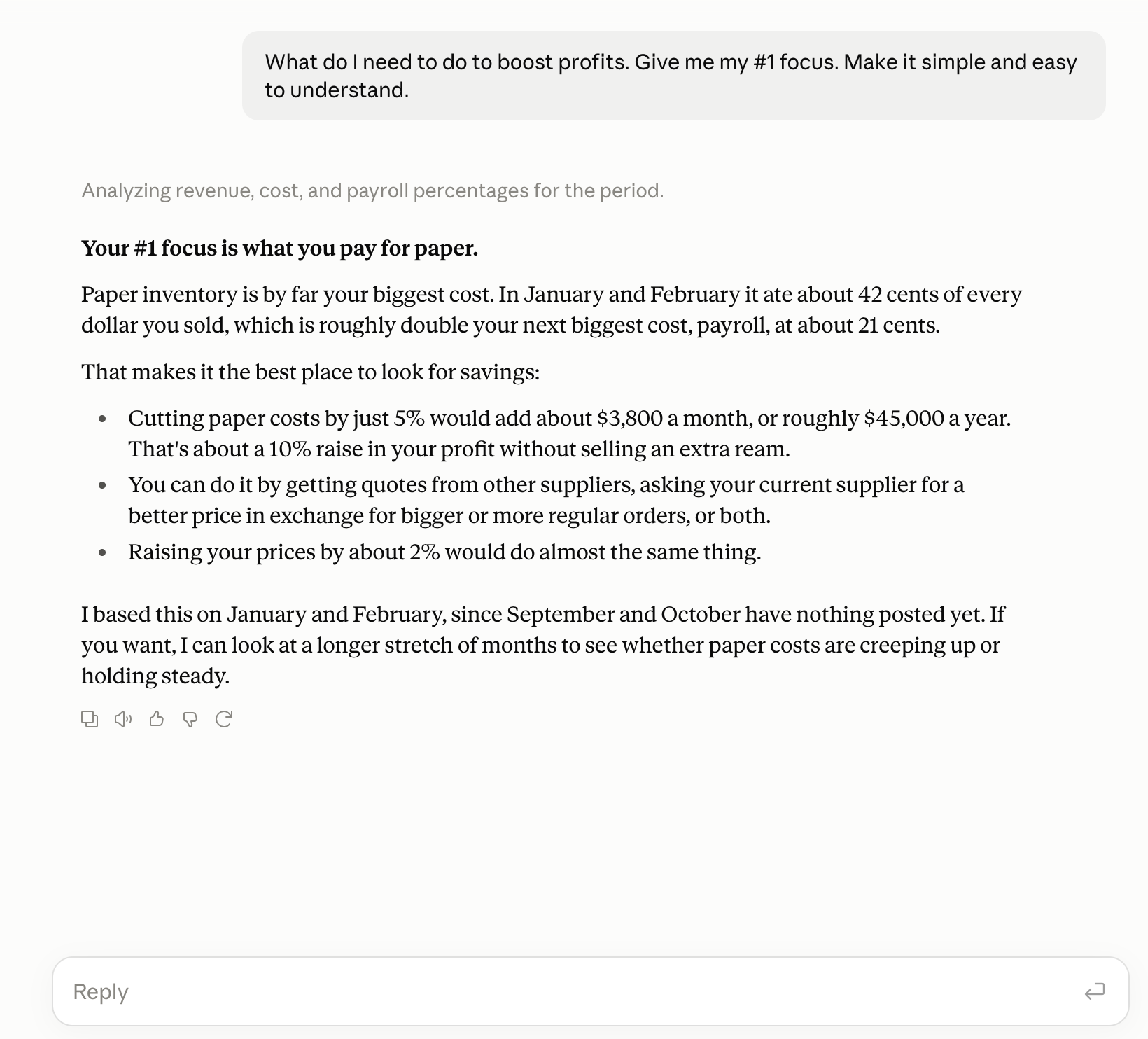
This is what we built Switchbooks around. Inside the app, the agent is named Elliott, and you talk to him the way you would talk to a bookkeeper. Tell him to do your accounting and he categorizes, posts, matches transfers, reconciles and runs the reports, and changes are recorded so you can undo them.
If you would rather work from an assistant, the connected version of all this lives in Claude today, not ChatGPT. Switchbooks is a connector in the Claude directory, and the step-by-step for Claude takes about three minutes. Cursor and Grok Bot work too. ChatGPT does not have a Switchbooks connector yet, so if you have been doing the paste-a-statement routine there, this is the part where I suggest a different window. The setup is in the connect tutorial.
A worked example: ten transactions, two ways
Here are ten rows from a real checking statement, with the business names changed.
| Transaction | ChatGPT with a pasted statement | Assistant connected to the books |
|---|---|---|
| Shell, $64.10 | Fuel | Fuel, matching 23 prior Shell charges |
| Transfer to Chase card, $3,200 | Credit card payment, expense | Matched to the card payment, no entry |
| SQ *JOES, $180 | Meals, guessed | Asks: this is new, the amount fits your contractor pattern, which is it? |
| Gusto, $8,412.55 | Payroll | Split to wages, taxes and fees from the Gusto entry |
| Amazon, $312.99 | Office supplies | Equipment, per your rule for Amazon over $200 |
| Stripe payout, $4,870 | Income | Revenue, with the Stripe fee booked separately |
| Zelle to J. Martinez, $1,500 | Contractor, guessed | Contractor, matching the Form 1099 vendor record |
| Check 1042, $2,000 | Unknown | Asks for the payee, then remembers it |
| Monthly bank fee, $15 | Bank fee | Bank fee |
| Transfer from savings, $10,000 | Income | Matched to the savings withdrawal, no entry |
Count the rows where the pasted-statement column is wrong or guessing. Three of them would overstate income or expenses by a combined $13,200 in one month. Nobody would notice until tax time, and then it would take a day to find.
How to use ChatGPT for bookkeeping anyway
If you are going to use a general assistant with a statement, and plenty of people will, here is how to do it with the least damage.
- Give it your chart of accounts first. Paste the list of categories you actually use so it does not invent new ones every month.
- Export every account, not just checking. Credit cards, savings, loans. Then ask it to find transfers between them before it categorizes anything.
- Ask it to flag, not guess. Tell it to mark anything under 80% confident as "review" rather than picking a category.
- Keep the rules in a document. Every decision you make, write down and paste in next month. You are building the memory it does not have.
- Reconcile somewhere else. Compare its totals to your bank balance by hand at month end. If they do not match, something is doubled or missing.
- Mind the data. Check the data policy on your plan before pasting statements. A copy of your financial life in a chat log is a copy you do not fully control.
Do all six and you will have reasonable books for a small, simple business. You will also have done most of the work yourself, which is the part people were hoping to avoid.
If you use ChatGPT, here is what to do
You do not have to give up ChatGPT for everything else. For the books, open Claude. The free plan is enough to start.
- Create a free Switchbooks account and connect your bank and credit card accounts. That is where the database comes from.
- Open Switchbooks in the Claude directory and click Connect to Claude. Sign in, choose whether Claude may make changes, and allow it.
- In a Claude chat, say "List my Switchbooks companies," then "Use [company name]," then tell it about the business the way you would brief a new bookkeeper.
- Ask it to post what it is sure about, answer its questions, reconcile, and pull the P&L.
The Claude walkthrough has screenshots of each step. When ChatGPT gets a connector, the same books will be there waiting, because the books live in Switchbooks, not in either chat.
Who this is for
If you are a freelancer with one account and a few dozen transactions a month, ChatGPT plus a careful routine is fine. You already know your business, and the assistant is a faster spreadsheet.
If you have a credit card and a checking account, or payroll, or more than one company, or an accountant who needs to trust the numbers, the pasted-statement approach will cost you more than it saves. The transfers alone will get you. You want the assistant working in the books, not on a copy of them.
And if you are a bookkeeper reading this because a client asked whether they still need you: they need you for the judgment. They do not need you for the sorting. The firms using Switchbooks are running more clients with the same people, not fewer people with the same clients.
The books are not going to catch themselves up either way. Try Switchbooks free, connect a bank, and either talk to Elliott in the app or connect Claude and ask it what is sitting in To Review.