Can Claude Do My Bookkeeping? Yes. Here Is How to Set It Up
October 6, 2026By Ryland BeardAI bookkeepingClaudeMCP
Yes. Not the way it works with a pasted bank statement, where Claude is a smart guesser with no memory and no ledger. The way it works when Claude is connected to your actual books, can see every account, and can post, match and reconcile with your permission.
I ran a bookkeeping firm for eight years before building Switchbooks, and this is the setup I wish I had for every client. It takes about three minutes. Here is how to do it, what to ask once it is done, and where the limits are.
The short answer
Claude on its own has the same ceiling as any assistant working from a statement. It will categorize most rows sensibly and explain the difference between an expense and a liability better than most textbooks. It cannot do bookkeeping, because bookkeeping happens in a ledger and a chat window does not have one. I wrote up exactly where that approach breaks, and the transfers alone are enough to double your expenses.
Switchbooks is listed in the Claude directory as a connector. Connect it and Claude is no longer working on a copy of your data. It is working in your books, with the same permissions you would give a bookkeeper, and the changes it makes are recorded so you can undo them from the same chat.
What Switchbooks actually adds to Claude
When I explain this to someone who has only used Claude on its own, I put it this way. Switchbooks gives Claude two things it does not have: tools and a database.
The tools are the actions a bookkeeper takes. Post a transaction. Match a transfer. Book a journal entry. Reconcile an account. Run a P&L. Claude alone can describe those things. Connected, it can do them.
The database is the part people underestimate. A chat has a memory that wears down. Paste in a year of statements and Claude is working at the edge of what it can hold, and next month it starts over. A ledger does not wear down. Every transaction, every category, every rule and every reconciliation is written down once and stays put. That is what turns a pile of good answers into a firm set of financials. Firm enough to email to your banker. Firm enough to compare this September to September three years ago and trust the difference. Firm enough that your accountant will sign off on them. Firm enough to ask "what should I focus on to boost profit" and get an answer with real numbers in it.
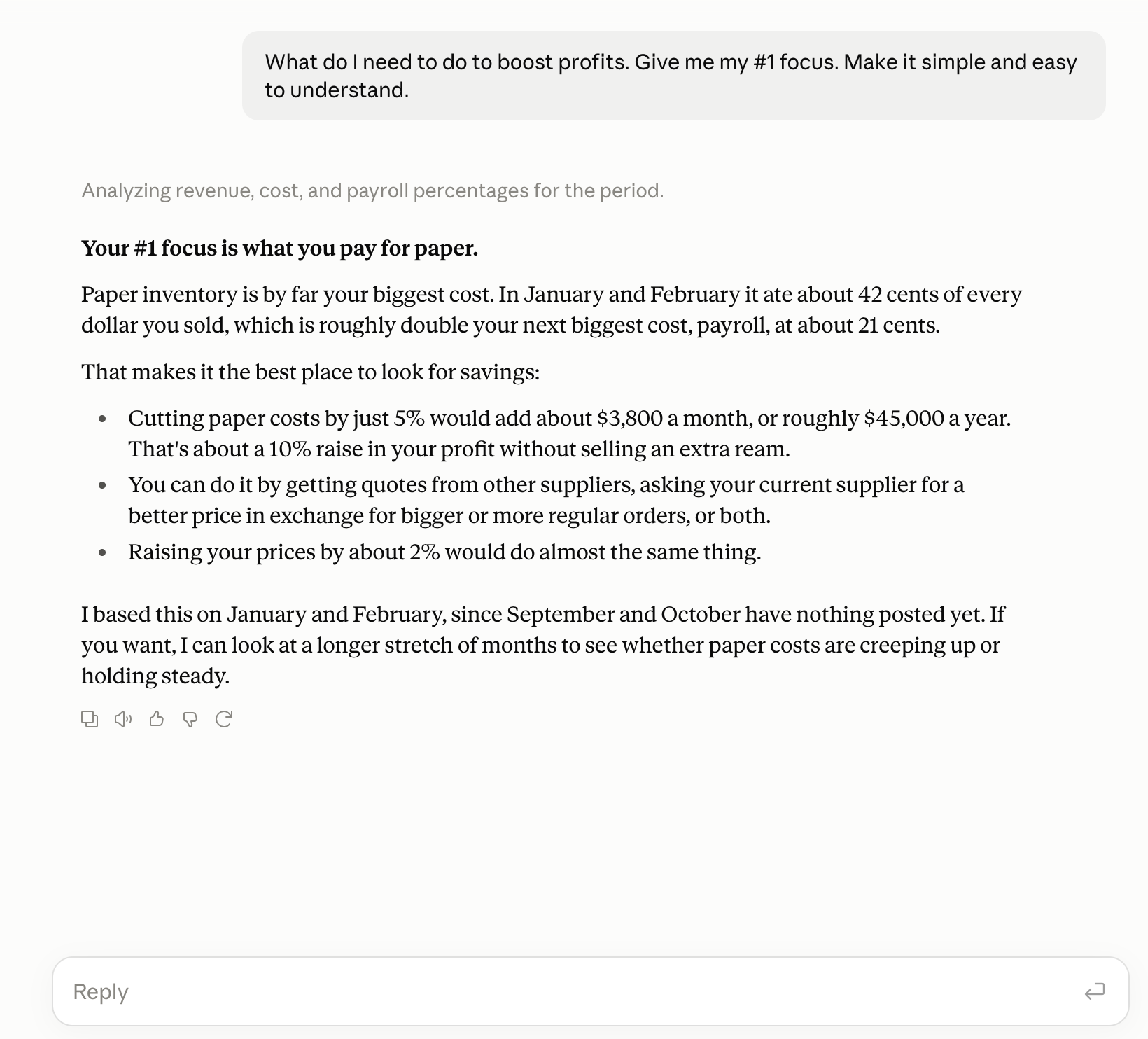
So the question is not whether Claude is smart enough to do bookkeeping. It is. The question is whether it has somewhere to put the books. Switchbooks is that somewhere.
If you do not have Switchbooks yet, start here
Most people reading this do not have an account, so this is the order to do things in. It takes about fifteen minutes end to end, and most of that is your bank's login screen.
Sign up. Create a free account. No card. You get a company to put your books in.
Connect your bank and credit cards. This is the step that matters most, because it is where the database comes from. Switchbooks connects to your bank through Plaid, the same connection most banking apps use, and pulls your transactions in automatically from then on. Connect every account the business uses: checking, savings, each credit card, the loan if there is one. The transfers between them only match if both sides are there. If you are moving from QuickBooks Online, import your history first, then connect the banks from your cutover date.
Connect Claude. The three steps below.
Then tell Claude about the business. This is the part people skip, and it is the part that makes everything after it easy. Open a chat with Switchbooks connected and talk the way you would to a new bookkeeper on their first day. What the business does. How you get paid. What your main costs are. Which accounts are personal and which are business. Anything you already know you want handled a certain way, like "Amazon over $200 is equipment" or "the Zelle payments to Martinez are contractor labor." Claude will propose a chart of accounts that fits, set it up, and start working through what the bank sent over.
Then let it post. "Post everything in To Review you are sure about and list the rest." Answer the questions it comes back with. Ask it to reconcile. Then ask for the P&L and the balance sheet. That is your first set of real financials, and from here on it is maintenance.
Connect Claude to your books in three steps
You need a Switchbooks account with at least one company in it. If you skipped the section above, start free and connect a bank first. The rest takes three minutes.
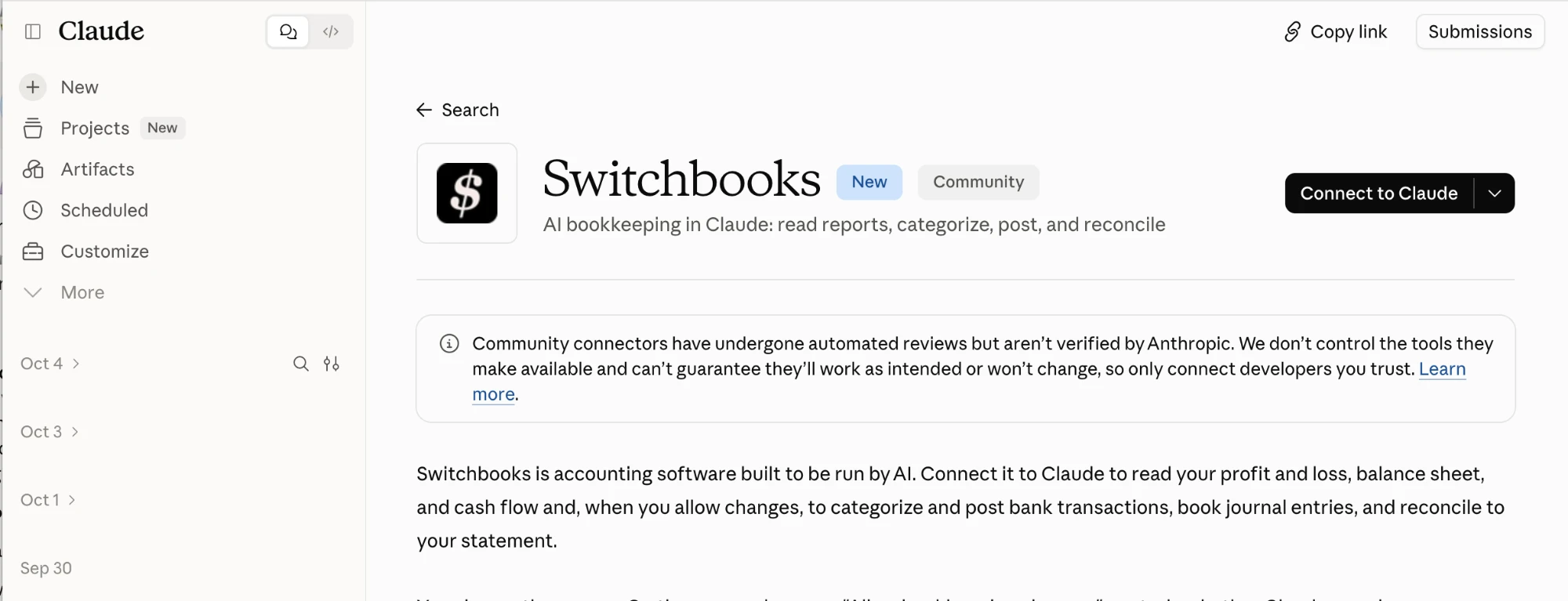
1. Open the listing and click Connect to Claude. Go to Switchbooks in the Claude directory and click Connect to Claude. On a Team or Enterprise plan, your organization owner may need to add the connector first.
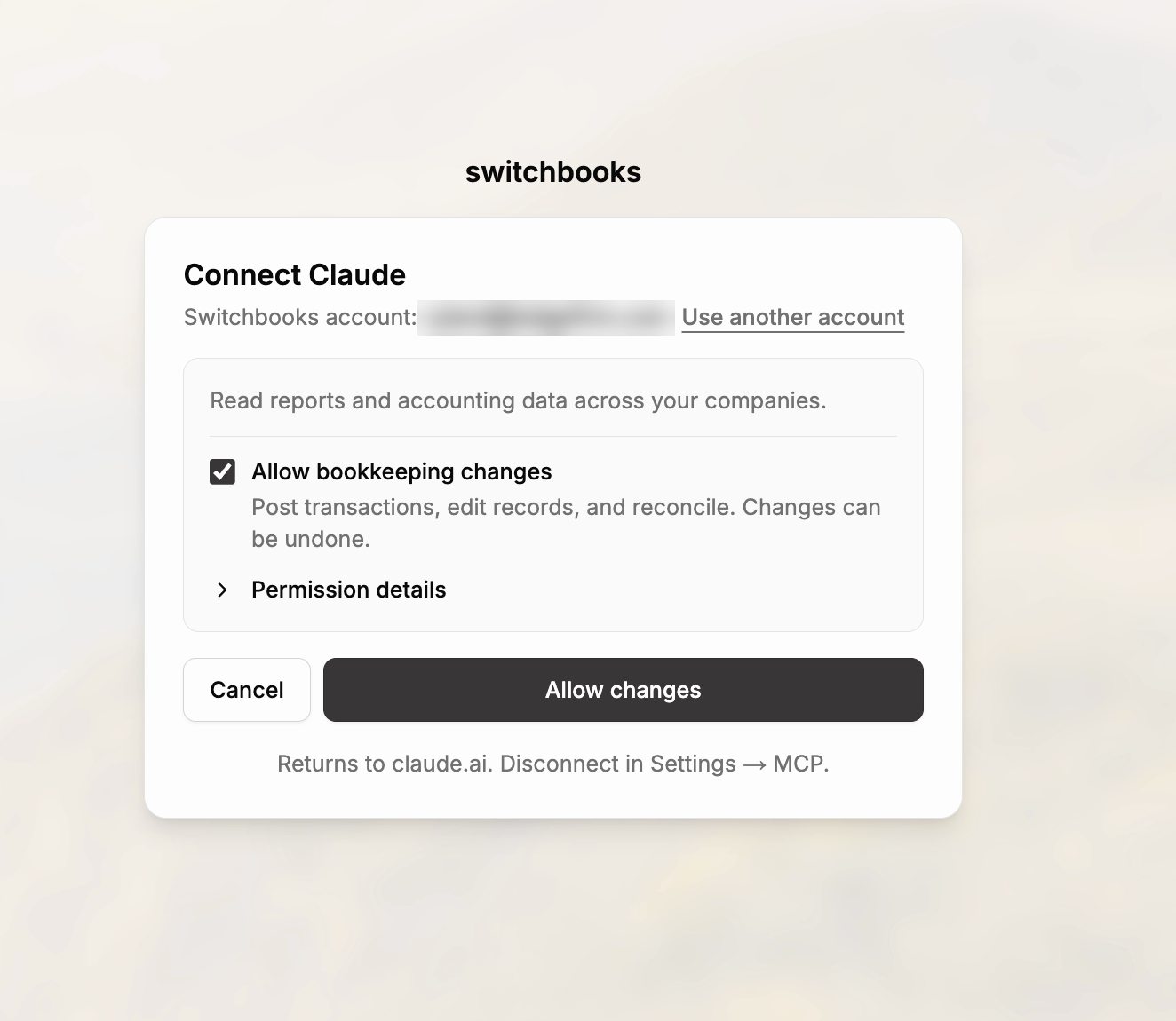
2. Sign in and choose what Claude may do. Claude sends you to Switchbooks to sign in. You will see a box labeled Allow bookkeeping changes. Leave it checked if you want Claude to post, match and reconcile. Uncheck it for a read-only connection where Claude can answer questions and run reports but change nothing. Then click Allow changes. Claude never sees your Switchbooks password. The connection uses OAuth, the same mechanism as "Sign in with Google."
3. Turn it on in a chat. In any Claude conversation, open + and then Connectors, and enable Switchbooks. Say "List my Switchbooks companies," then "Use [company name]." If you have several companies, Claude asks which one, and every answer is tagged with the company it came from.
Back in the directory, the listing now shows Connected.
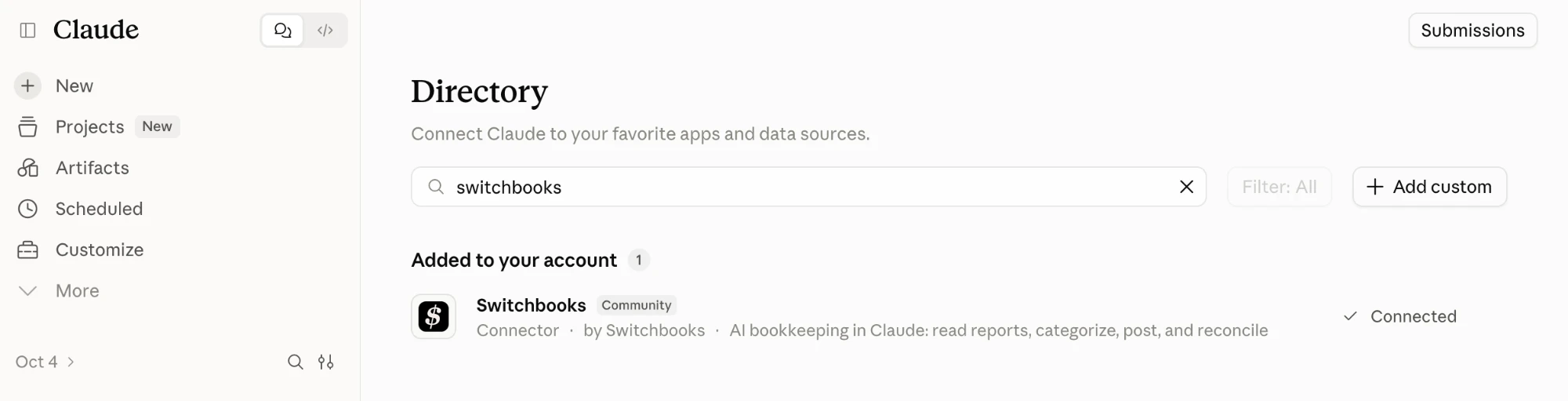
That is the whole setup. If you would rather do it by hand, open Customize → Connectors, click +, choose Add custom connector, name it Switchbooks and enter the server URL https://app.switchbooks.ai/api/mcp. Same result.
What to ask Claude once it is connected
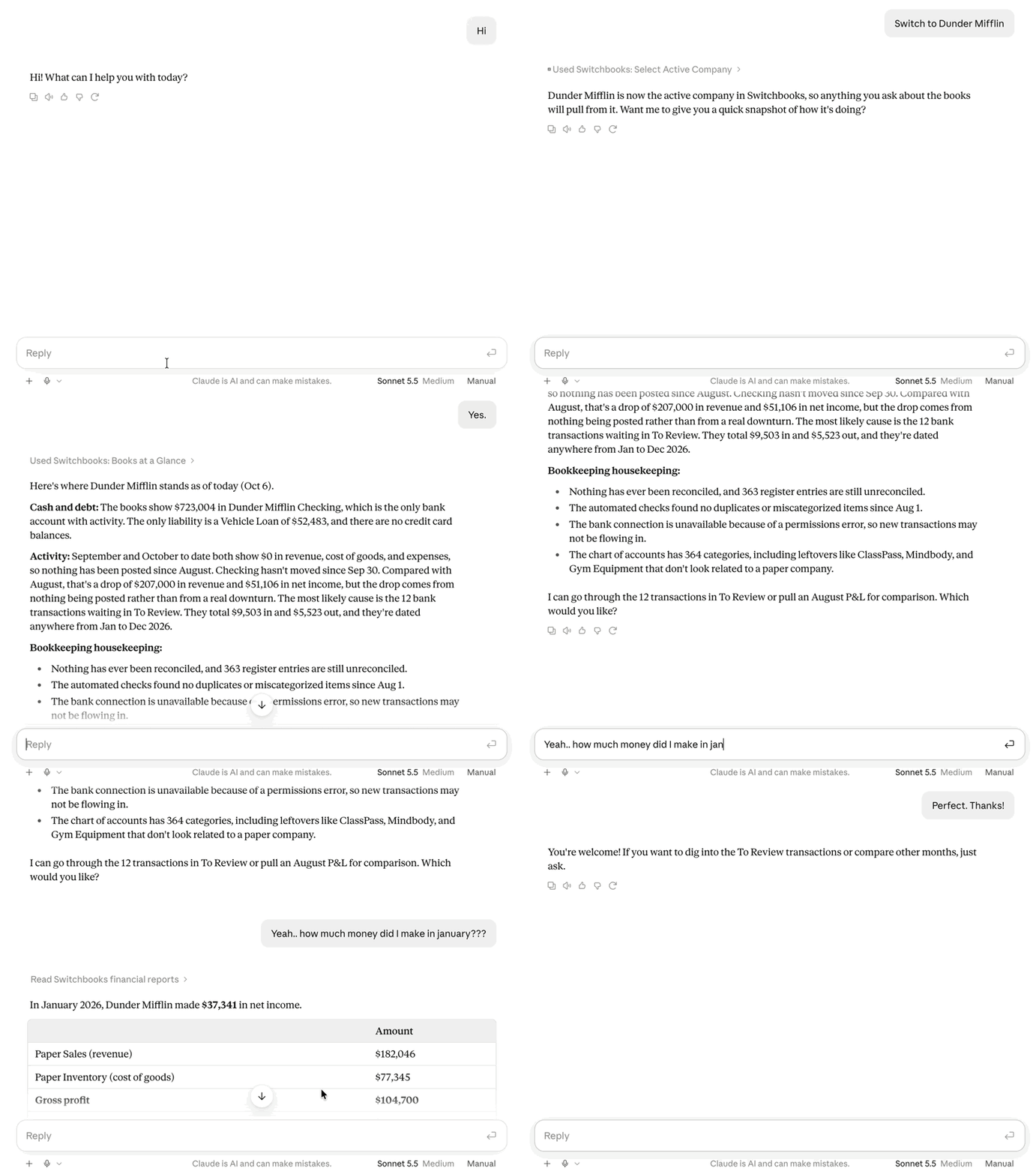
Start with questions. They are safe on any connection and they show you how much Claude can now see.
- "Show me last month's profit and loss."
- "Summarize in a high level table how I've done in January, February and March."
- "What is sitting in To Review?"
- "Find every payment to Gusto this year."
- "What do I need to do to boost profits? Give me my #1 focus."
- "What is my checking balance and when was it last reconciled?"
Claude runs the real report from the real ledger. It is not drafting a P&L from one account. It is the same P&L you would see in Switchbooks, with every account included, and the balance sheet balances because the books do.
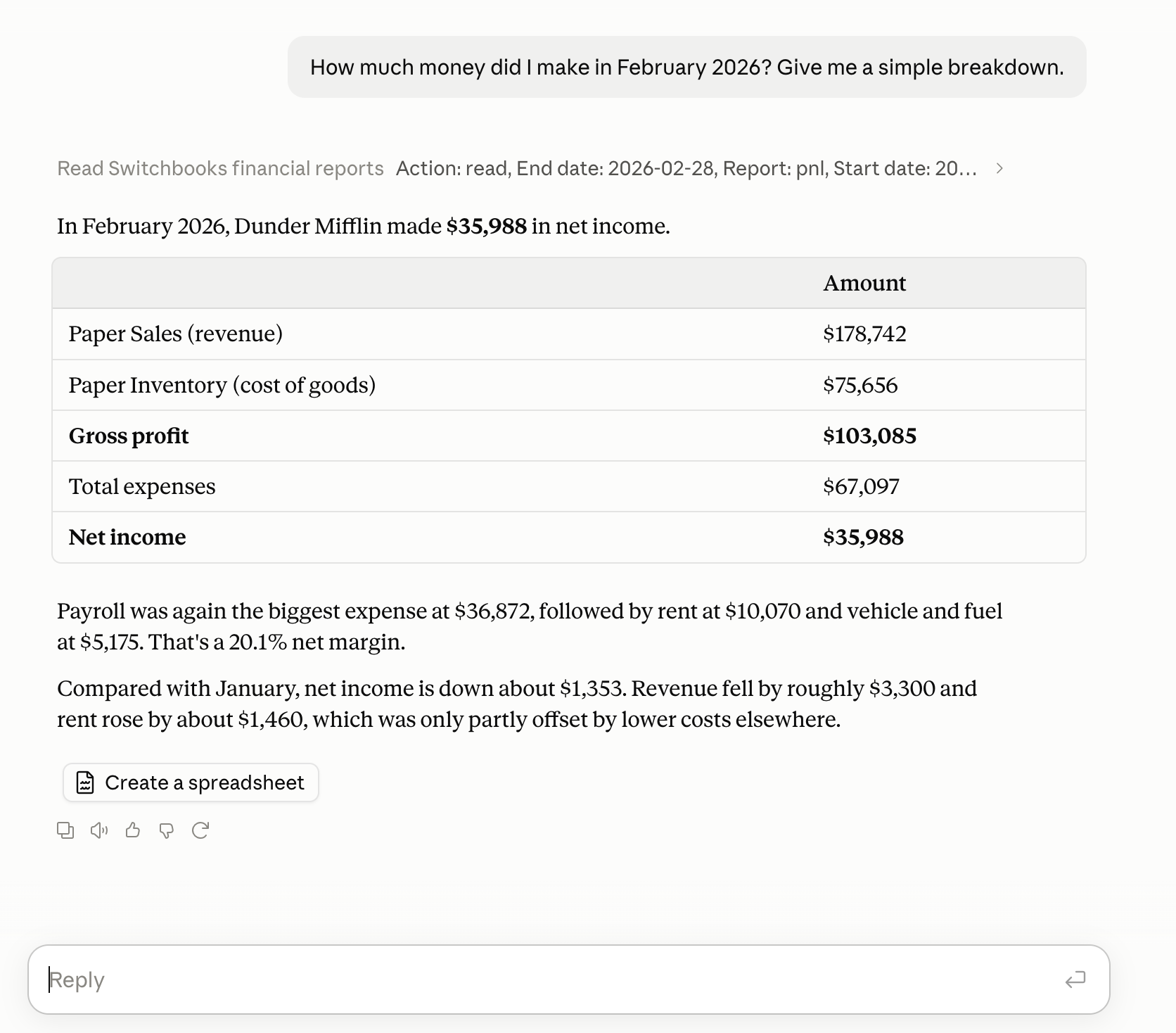
Then, if you allowed changes, start handing over work.
- "Categorize and post everything in To Review that you are sure about. List what you are not sure about."
- "Match the transfers between checking and the credit card."
- "The Amazon charges are office supplies unless they are over $200, then equipment. Make that a rule."
- "Reconcile checking through September 30 against this statement." Attach the statement, and Claude compares the ledger to the bank and shows you anything that does not tie before it books a fix.
- "Book a journal entry to accrue $4,000 of September rent."
- "Undo that last change."
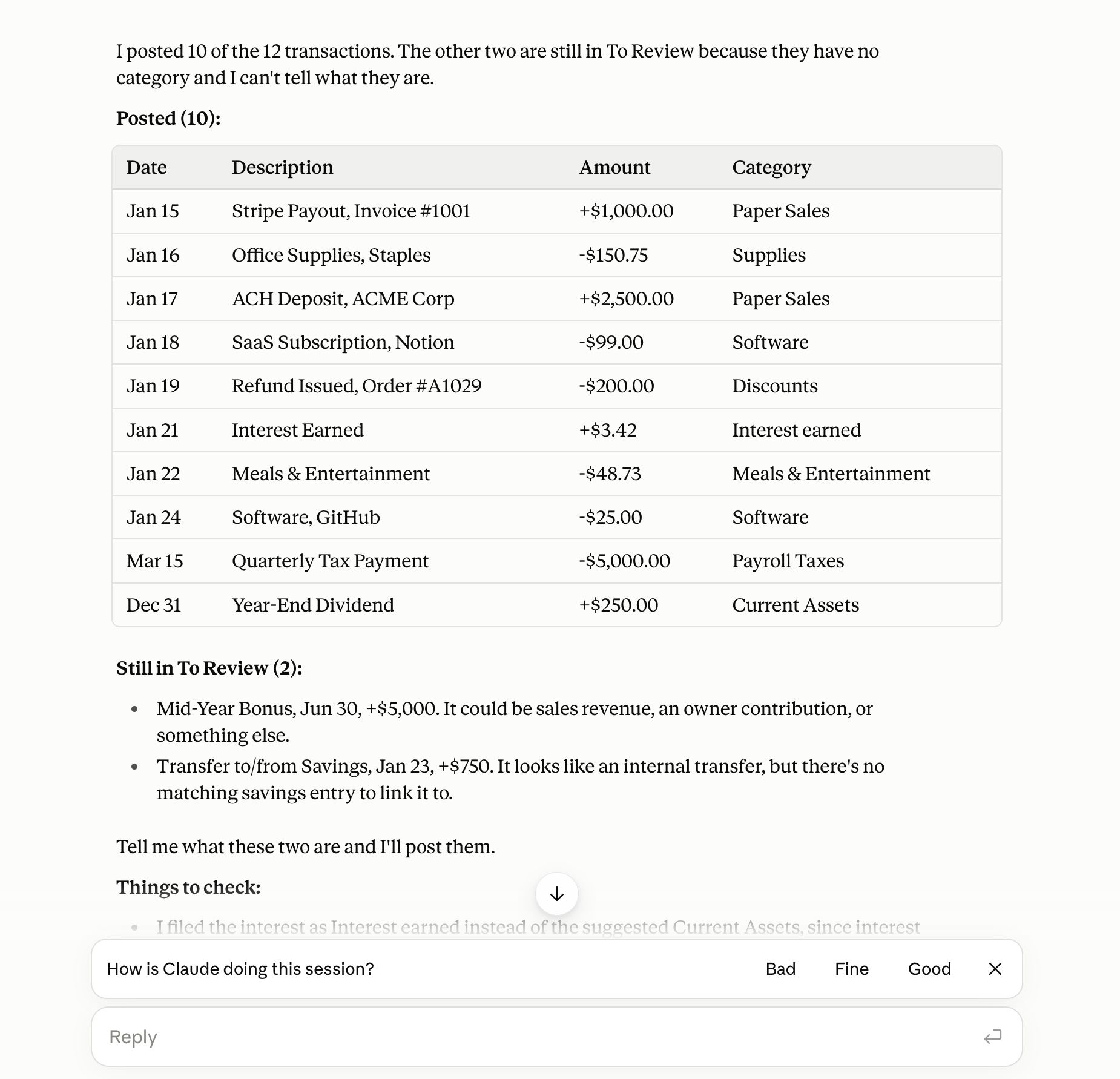
The pattern is the one you would use with a human bookkeeper. Tell Claude what you want, let it show you what it did, and correct it in plain English. The corrections stick, because Switchbooks remembers the rule, the payee and the category you chose. Next month Claude does not ask again.
A Monday morning, two ways
Here is the same morning for a business owner with a checking account, a credit card and about two hundred transactions a month.
Without the connection. Export two CSVs. Paste them into Claude. Explain the chart of accounts again. Watch Claude call the $3,200 card payment an expense, catch it, correct it. Ask for a P&L and get a draft from the checking account only, because the card is in a different paste. Copy the categories into the accounting software by hand. Forty-five minutes, and the books are not reconciled.
With the connection. "Use Acme Co. Post what you are sure about in To Review and tell me what is left." Claude posts 180 rows that match prior patterns and rules, matches the card payment as a transfer, and lists eleven rows it wants a word on. You answer in one message. "Now reconcile checking through Friday." It ties. "Show me the P&L." It is the real one. Eight minutes, and you did not open a spreadsheet.
That second morning is what Switchbooks was built for. Inside the app the agent is named Elliott and you can do all of this from the Switchbooks chat. The Claude connector gives you the same bookkeeper in the window you already have open.
What Claude can and cannot change
This matters, so here it is plainly.
A read-only connection can search transactions, list categories, payees, rules and accounts, and run report summaries. It cannot change anything.
A connection allowed to make changes can also post and split rows in To Review, match transfers, book journal entries, create categories, payees and rules, reconcile from a preview, and attach files. Those changes are recorded in Switchbooks, and most can be undone from the chat for 30 days. Two cannot: editing a journal entry and replacing a split. Claude cannot move money.
No connection can connect a bank, send email or invitations, share a report, merge accounts, delete files or remove teammates. Those stay in the Switchbooks app, on purpose. An assistant should be able to do the bookkeeping. It should not be able to change who has access to it.
To disconnect, open Customize → Connectors in Claude, select Switchbooks, and disconnect. Or in Switchbooks, open Settings → MCP and revoke it there. Either side ends it.
Is it safe?
Three things to know.
Claude never gets your password. The connection is OAuth, you approve it once, and you can revoke it from either side.
You pick the permission level. Plenty of accountants run read-only for clients who want answers and keep write access for their own staff. On top of that, Claude itself asks before it uses a Switchbooks tool the first time in a chat, and you can allow it once or for the rest of the session.
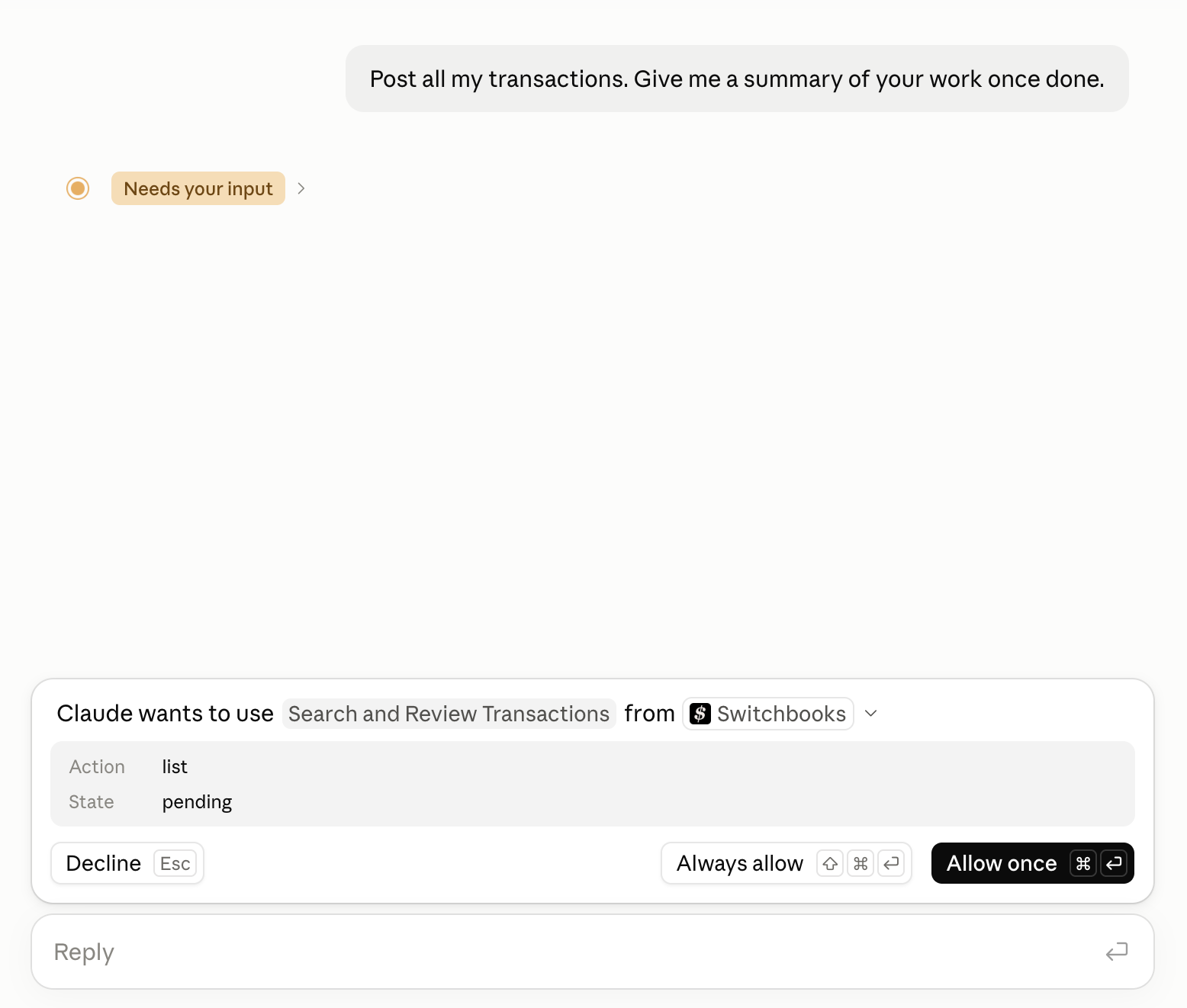
Almost everything is reversible. Changes an assistant makes are logged in Switchbooks, and "undo that" reverses them through the same path a person would use, for 30 days. The exceptions are editing a journal entry and replacing a split, which is why Claude shows you those before it does them.
If you want the details on data handling, the security page covers bank connections, access and storage.
Who this is for
Business owners who already live in Claude and would rather ask a question than open another tab. This is most of the people who connect.
Bookkeepers and firms who want to run more clients with the same team. Connect once, say "Use [client name]," and work across every set of books from one chat. Switchbooks tags each answer with the company so you always know whose numbers you are looking at.
Anyone who tried the paste-a-statement approach and found the 2% problem the hard way. The fix is not a better prompt. It is giving the assistant the books.
If you use Cursor or Grok Bot instead of Claude, the same connector is in both marketplaces. ChatGPT is not listed yet.
The books are not going to catch themselves up. Connect Claude to Switchbooks and ask it what is sitting in To Review.