Most small businesses need fifteen to twenty expense categories, not eighty. Use the list below, keep each vendor in the same category every month, and watch for the rows that are not expenses at all: personal charges, money you put in, loan principal, larger equipment and credit card payments. Whether something is deductible is your CPA's call. Your job is to put each charge where it belongs, the same way every time.
I grew a bookkeeping firm to 40 people before building Switchbooks, and these are the questions owners asked us most. How software sorts transactions behind the scenes is in How Automated Transaction Categorization Works. This post is about where things go.
The expense categories most small businesses use
Start with these. Rename them to fit, add one when a cost is big enough to watch on its own, and skip the ones you never use.
- Cost of Goods Sold. What it costs to make or deliver what you sell. Materials, parts, products you resell, a subcontractor on a customer job.
- Advertising and Marketing. Getting customers. Google and Meta ads, flyers, sponsorships, a booth at a fair.
- Bank and Merchant Fees. What banks and card processors charge. Monthly account fees, wire fees, Stripe or Square fees.
- Contract Labor. People you pay who are not on payroll. Freelancers and independent contractors.
- Insurance. Business policies. General liability, professional liability, property.
- Interest Expense. Interest on loans and credit cards. It sits below operating profit as an other expense.
- Legal and Professional Fees. Your CPA, attorney and other advisers.
- Meals. Meals with clients and meals while traveling for work.
- Office Supplies. Small things that get used up. Paper, ink, postage, cleaning supplies.
- Payroll. Wages, employer payroll taxes and benefits, from your payroll provider's report.
- Rent. Office, shop, warehouse or storage space.
- Repairs and Maintenance. Fixing what you own. An equipment repair, a plumber at the shop.
- Software and Subscriptions. Apps and online services. Google Workspace, Adobe, your scheduling or point-of-sale software.
- Taxes and Licenses. Business licenses, permits, state filing fees. Ask your CPA where income tax payments go.
- Travel. Getting somewhere for work and staying there. Airfare, hotels, rental cars, rideshares on a trip.
- Utilities. Electric, gas, water, internet and phones.
- Vehicle. Running a work vehicle. Fuel, repairs, registration, tolls and parking.
Ask your CPA before you settle on names. Many CPAs like categories that line up with the lines on your tax return, such as Schedule C for a sole proprietor, so the year-end handoff is a straight copy. If they send a list, use theirs. Switch, the AI bookkeeper in Switchbooks, can set up a whole chart from that list in one step.
Put a payee on every contractor payment, too. The payee report then gives your CPA each person's total for the year. Switchbooks does not file 1099s, so your CPA or a filing service still does that part.
Where do personal charges on the business card go?
To an owner's draw account, not an expense. A draw is equity: money you took out of the business. It stays off your profit and loss, because it was not a cost of the business. Your CPA may want the account called distributions. Use the name they give you.
If one charge is part business and part personal, like a warehouse store run, split it. The business part goes to its category and the rest goes to the draw.
Switch flags rows that may be personal, such as food delivery, payments to a person through an app, or money sent to the owner's name, and asks you about them. He does not move anything just because it looks personal.
Where does money I put into the business go?
To an owner contribution account in equity, not to income. You did not sell anything, so it is not revenue. Booked as income, it makes the business look more profitable than it is.
If you and your CPA treat the money as a loan to the business, it goes to a loan account instead. Money from a bank loan goes to a loan account too, never to income.
How do I categorize a loan payment?
Split it. The interest is an expense, Interest Expense. The principal pays down the loan, which is a liability on your balance sheet, so it is not an expense at all.
The lender's amortization schedule shows the split for every payment. Give the schedule to Switch and he splits each payment to the cent, principal to the loan and interest to Interest Expense. Loans cannot be connected accounts in Switchbooks, so the loan lives as a liability category kept from that schedule.
Is equipment an expense or an asset?
It depends on the cost and how long it lasts, and your CPA makes the call. Something that lasts years, like a truck, an oven or a big machine, is usually recorded as an asset on the balance sheet and depreciated a little at a time. Small items are often expensed right away.
A business can make a yearly election, called the de minimis safe harbor, that lets it expense items up to a set dollar amount. Whether to use it, and how to depreciate the rest, are tax decisions for your CPA.
When it is an asset, post the purchase to an asset category such as Equipment or Vehicles. When your CPA sends the depreciation schedule, Switch books it as journal entries. If a monthly entry is skipped, he says so when you ask whether that month is ready to close. Software you pay for every month is a plain expense.
How do I categorize refunds and returns?
Put a refund back in the category the purchase went to. A $200 refund from a supplier lowers the same Supplies or Materials category the purchase raised. It is not income. Booked as income, it makes both your sales and your costs look higher than they were.
When you refund a customer, or a customer's card payment is charged back, book it against the income category the sale went to.
Is a credit card payment an expense?
No. Paying the card is a transfer from checking to the card. The expenses are the charges on the card, each categorized when it happens. Booking the payment as an expense as well counts every charge twice.
So connect the card as well as checking. In Switchbooks, a transfer between two of your own accounts, like a card payment or a move to savings, is linked and posted on its own once both sides arrive and can only match each other.
How should I categorize meals and travel?
Use separate Meals and Travel categories, and write a note on each charge: who you met and why, or what the trip was for. Keep meals apart from entertainment, such as event tickets, because the tax rules treat them differently. How much of each is deductible is your CPA's call. Your notes are what lets them make it.
In Switchbooks you can add a note to any transaction and attach the receipt. Or drop a photo of the receipt into the chat and Switch attaches it to the matching charge.
How to keep it consistent
Make a rule for each vendor that keeps coming back for the same thing. Consistency matters more than the perfect name. If Adobe is Software in March and Office Supplies in April, comparing the two months tells you nothing.
A rule says: when the description has these words, or the amount is in this range, use this category and payee. Rules run as soon as transactions arrive. Turn on "Post matching transactions automatically" and that vendor never waits for you again.
Match the vendor's name, not the card processor. A rule on "SQ" or "PAYPAL" files every Square or PayPal charge the same way, whatever it was for.
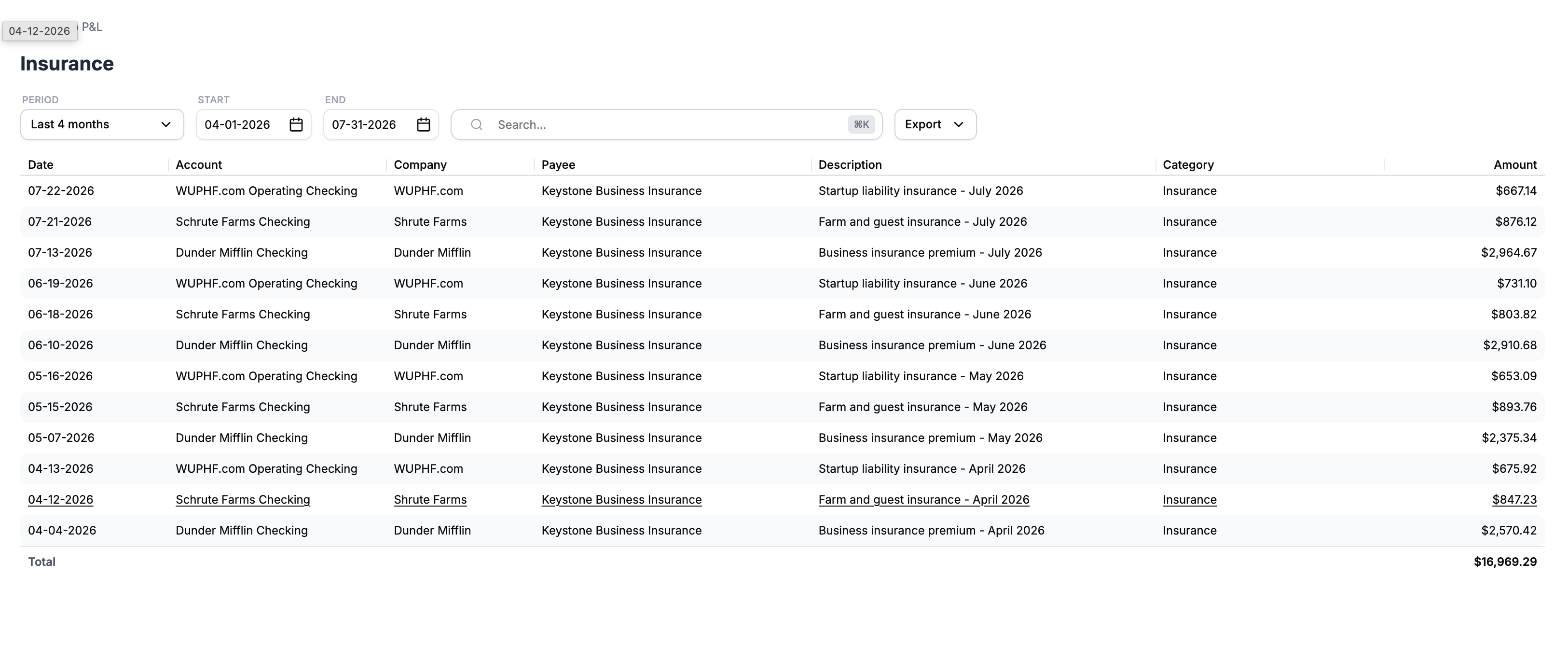
How Switch suggests and posts categories
New transactions arrive in To Review with a suggested category and payee, and nothing reaches your reports until it is posted. Rules go first. Then Switch fills the empty fields from your own history and the description. A suggestion never overwrites a category you or a rule already set.
Ask him to do your books and he posts what he is sure of and lists the rest with his best guess. He also notices repeat vendors, filed one way for months, that no rule covers yet. If you would rather not ask, turn on the weekly books check and Do the work too in Settings under Automation, and he does the same work once a week and leaves a short note when he changed something.
What Switch does when he cannot tell
He asks instead of guessing. A suggestion he is not sure of stays blank. When he does your books, a charge he cannot place waits in To Review, or goes to Uncategorized if your chart has it, and he asks what it was.
In chat, answer in plain words: "The Amazon charge on the 14th was printer ink, so Office Supplies." He posts it. If a vendor is always the same kind of cost, ask him to make a rule. If a teammate or your accountant is the one in the books, Switch can put his questions on a request. You answer each one from an email link without logging in, and your answer lands on the transaction.
How do I fix a wrong category?
Tell Switch which rows are wrong and where they go. He moves them. Every change he makes is recorded, and most can be undone.
Ask him to list his changes from the last 30 days and undo the ones you want back. Unposting sends a row back to To Review. If a rule filed it wrong, fix the rule too, so next month comes in right. Rules only touch rows in To Review, never posted ones, so changing a rule will not quietly rewrite last year. Permanent steps, like merging bank accounts or deleting a file, wait for you to type yes.
Start here
Switchbooks is $25 a month per company, every feature included, with a 10-day free trial and no card. Connect your bank and card accounts, ask Switch to post what he is sure of, and answer what he asks. Once the categories are in, the P&L is mostly done: here is how to make a profit and loss from bank transactions. For the whole weekly routine, see how to have AI do your bookkeeping.
Related reading
What your CPA needs at year end: reconciled books, a trial balance, the general ledger, statements and 1099 vendor totals. Plus the 2027 IRS due dates.
A step-by-step business startup checklist covering entity structure, registration, bank accounts, bookkeeping, taxes, and a month-by-month plan for year one.
Most small business owners are weeks or months behind on their books. Here's why it happens, what it costs you, and what actually fixes it.